
Validate Schema
Type key: validate_schema_node
Group: Data
Category: data
Tier: CORE
The Validate Schema node checks incoming data against a set of validation rules to ensure data quality before processing. It can halt the workflow on invalid data or continue with warnings, letting downstream nodes decide how to handle errors.
Handles
| Handle | Direction | Description |
|---|---|---|
input | Input | Receives the data to validate |
output | Output | Passes validated data (behavior depends on mode) |
Configuration
| Field | Type | Default | Description |
|---|---|---|---|
mode | enum | fail | Behavior on validation failure |
rules | array | [] | Visual validation rules (no-code) |
schema | string | "" | Full JSON Schema for advanced validation |
Validation Mode
| Mode | Behavior on Invalid Data |
|---|---|
fail | Halt the workflow immediately with a VALIDATION_ERROR |
soft_fail | Continue execution; attach validation errors to output; let downstream decide |
Visual Rule Builder
The rule builder provides a no-code interface for defining validation constraints. Each rule validates one field from the incoming data.
Rule Object
{
  "field": "email",
  "type": "email",
  "required": true,
  "min": "",
  "max": "",
  "pattern": ""
}| Property | Description |
|---|---|
field | Field name to validate (supports dot notation for nested) |
type | Expected data type — see table below |
required | If true, the field must be present and non-empty |
min | Minimum value (number/integer) or minimum length (string) |
max | Maximum value (number/integer) or maximum length (string) |
pattern | Regex pattern — only for string type (optional) |
Supported Types
| Type | Validates | Min/Max meaning | Pattern |
|---|---|---|---|
string | Must be a string | Character length | yes |
number | Must be numeric | Value range | no |
integer | Must be an integer | Value range | no |
boolean | Must be boolean | — | no |
email | Must be a valid email address | — | no |
url | Must be a valid URL | — | no |
date | Must be a parseable date string | — | no |
array | Must be an array | — | no |
Upstream Field Discovery
The Field dropdown automatically discovers available fields from upstream nodes. When connected to a Dummy Data or Data Model node, all fields are listed for quick selection. If the upstream data is not yet available (e.g. after importing a JSON preset), the previously saved field names are preserved and shown in the dropdown.
UI Layout
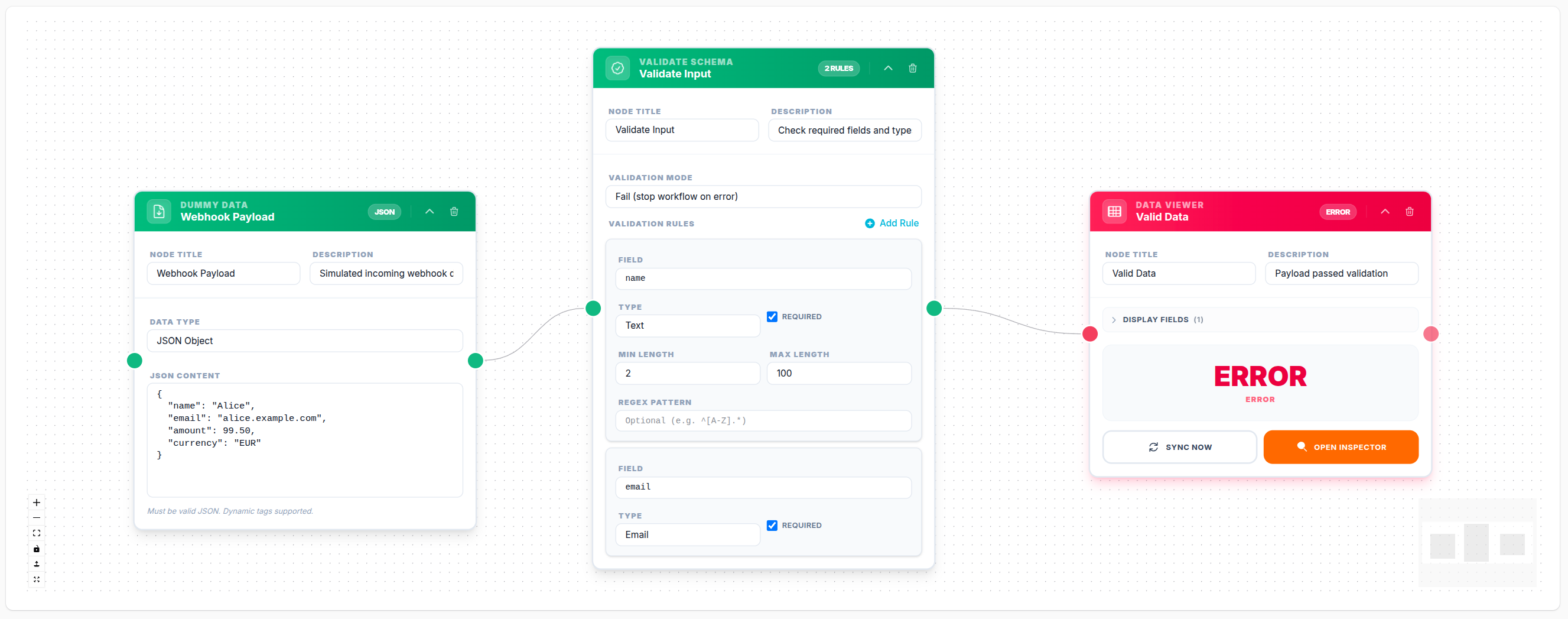
Each rule is displayed as a card with hover-to-delete (X button, top-right corner):
- Field — full-width select with upstream field discovery
- Type + Required checkbox — side by side
- Min / Max — side by side (shown only for
string,number,integer) - Regex pattern — shown only for
stringtype
JSON Schema (Advanced)
For complex validations beyond the visual rule builder, use a full JSON Schema (Draft-7). When a schema is configured and no visual rules exist, the node falls back to legacy JSON Schema validation.
Example: Validate an Object
{
  "type": "object",
  "required": ["email", "age"],
  "properties": {
    "email": { "type": "string", "format": "email" },
    "age": { "type": "integer", "minimum": 18, "maximum": 120 },
    "name": { "type": "string", "minLength": 2, "maxLength": 100 }
  },
  "additionalProperties": false
}
Example: Validate an Array of Products
{
  "type": "array",
  "minItems": 1,
  "items": {
    "type": "object",
    "required": ["sku", "price"],
    "properties": {
      "sku": { "type": "string", "minLength": 3 },
      "price": { "type": "number", "exclusiveMinimum": 0 },
      "stock": { "type": "integer", "minimum": 0 }
    }
  }
}
Output
On Success (mode: fail)
Input passes through unchanged. A nodes.{nodeId} metadata entry is added confirming validation passed.
On Success (mode: soft_fail)
{
  "...original fields...",
  "nodes": {
    "validate_schema_node-001": {
      "type": "validation",
      "validated": true,
      "valid": true,
      "rules_count": 3,
      "mode": "soft_fail"
    }
  }
}
On Failure (mode: soft_fail)
{
  "...original fields...",
  "nodes": {
    "validate_schema_node-001": {
      "type": "validation",
      "validated": true,
      "valid": false,
      "errors": [
        "Field 'email' is required",
        "Field 'age' must be at least 18"
      ],
      "warnings": ["Field 'email' is required", "Field 'age' must be at least 18"],
      "rules_count": 3,
      "mode": "soft_fail"
    }
  }
}
On Failure (mode: fail)
The workflow halts with a VALIDATION_ERROR. No output is produced.
Example Workflow: Webhook Input Validation
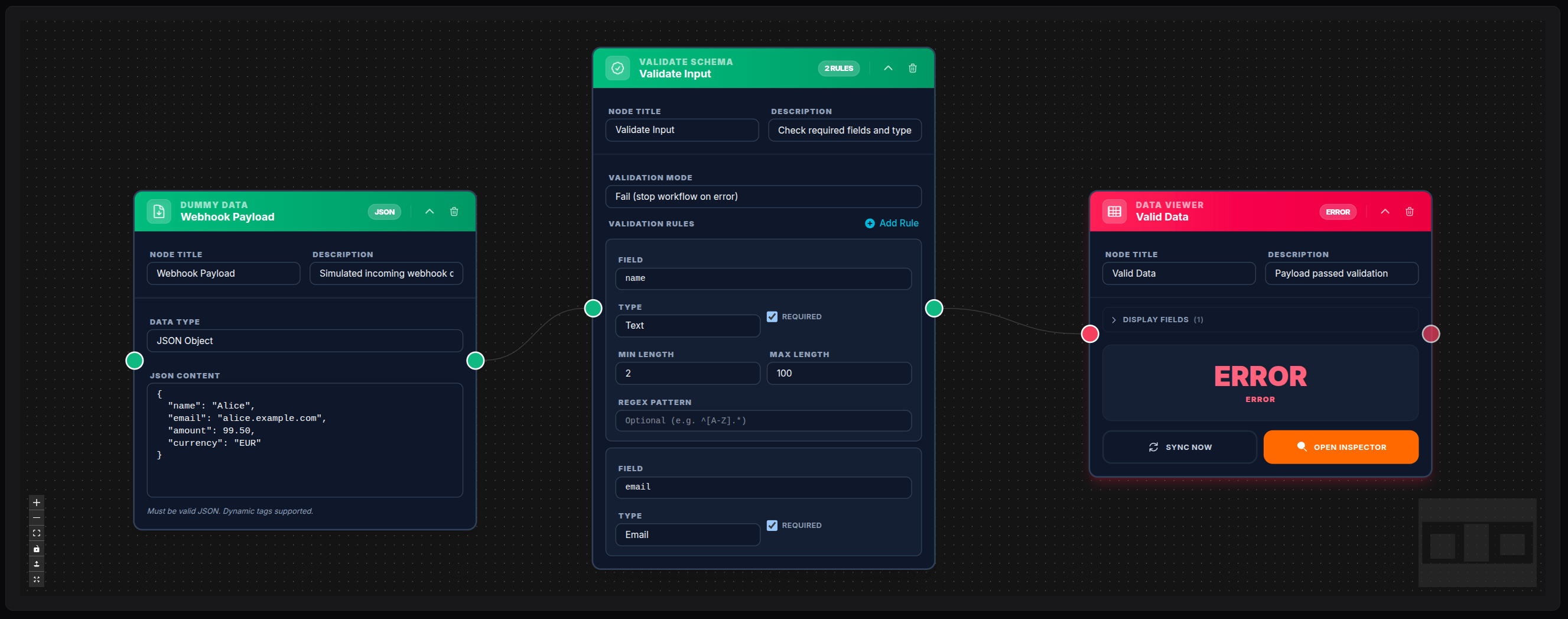
A Dummy Data node simulates an incoming webhook payload. The Validate Schema node checks that name is a string of 2–100 characters, email is a valid email address, and amount is a number ≥ 0.01. A Data Viewer shows the validated result.
💾 Try this example
Download the workflow JSON — open an empty workflow and import the file.
Use Cases
| Scenario | Rules |
|---|---|
| Webhook input validation | name string required, email email required |
| Order processing | amount number ≥ 0.01, currency string required |
| User registration | age integer ≥ 18, email email required |
| API payload sanitization | sku string pattern ^[A-Z]{3}-\d+$ |
| Form submission | phone string, message string min 10 chars |
Notes
- Use
mode: failwhen invalid data should never reach downstream nodes (defensive pipelines) - Use
mode: soft_failwhen you want to log or quarantine invalid data while allowing the workflow to continue - The
fieldselector supports dot notation for nested fields (e.g.address.city,payment.method) - When validating an array of items, each item is validated individually and errors include the item index
- Visual rules take priority over legacy JSON Schema — if both are configured, rules are used