
Switch
Type key: switch_node
Group: Flow Control
Category: flow
Tier: CORE
The Switch node provides multi-way routing based on the value of a field in the data. It is the equivalent of a switch/case statement — you define multiple cases with an operator and a value, and execution is routed to the first matching branch. A default output handles all unmatched values.
Handles
| Handle | Direction | Description |
|---|---|---|
input | Input | Receives data from the preceding node |
case_{id} | Output (dynamic) | One output per configured case |
default | Output | Fallback when no case matches |
Output handles are generated dynamically from the configured cases. Each case receives a stable, auto-generated id when created — this means renaming a case value does not break existing connections.
Configuration
| Field | Type | Default | Description |
|---|---|---|---|
field | string | "" | Dot-notation path to the field to match on |
cases | array | (1 default case) | Array of case objects |
Case Object
{
  "id": "case_success",
  "operator": "equals",
  "value": "success"
}| Property | Description |
|---|---|
id | Auto-generated stable identifier (used for handle IDs, never edit manually) |
operator | Comparison operator — see table below |
value | The value to compare against the field (omitted for unary operators) |
Supported Operators
The Switch node shares the same operator set as the Filter node for consistency. Operators are grouped by the inferred type of the selected field.
| Operator | Label | Needs value | Notes |
|---|---|---|---|
equals | Equals | yes | Loose comparison (numeric-aware) |
not_equals | Not Equals | yes | |
contains | Contains | yes | String substring check |
not_contains | Not Contains | yes | |
starts_with | Starts With | yes | |
ends_with | Ends With | yes | |
greater_than | Greater Than | yes | |
greater_than_or_equal | Greater or Equal | yes | |
less_than | Less Than | yes | |
less_than_or_equal | Less or Equal | yes | |
in | In List | yes | Comma-separated values |
not_in | Not In List | yes | Comma-separated values |
is_null | Is Null | no | |
is_not_null | Is Not Null | no | |
is_empty | Is Empty | no | Empty string, null, empty array |
is_not_empty | Is Not Empty | no | |
is_true | Is True | no | |
is_false | Is False | no | |
is_in_the_past | Is In The Past | no | Date/datetime fields |
is_in_the_future | Is In The Future | no | Date/datetime fields |
is_today | Is Today | no | Date/datetime fields |
is_within_days | Within N Days | yes | Absolute distance from today |
is_within_months | Within N Months | yes | |
is_older_than_days | Older Than N Days | yes | |
is_older_than_months | Older Than N Months | yes |
Smart Type Inference
When the Switch field is connected to an upstream node, the UI automatically infers the data type of the selected field and restricts the operator dropdown accordingly. For example, a numeric field shows Greater Than, Less Than etc., while a string field shows Contains, Starts With etc.
Dynamic Value Input (⚡)
Each case value input features a lightning bolt toggle (⚡). When enabled, the input shows a dropdown of distinct values sampled from the upstream data. When disabled, you can type any value manually.
Behavior
- The node extracts the value of
fieldfrom$context->inputusing dot notation (data_get) - Iterates through
casestop-to-bottom; each case'soperator+valueis evaluated against the field value - The first match wins — execution routes to that case's output handle
- If no case matches, routes to the
defaultoutput handle - The full input payload is passed through to the matching branch, enriched with internal metadata (stripped in simulation previews)
Loose Equality
The equals and not_equals operators use loose comparison: if both values are numeric, they are compared as floats (1 matches "1"). Otherwise they are compared as strings.
Example: Route by Payment Status (Dot Notation)
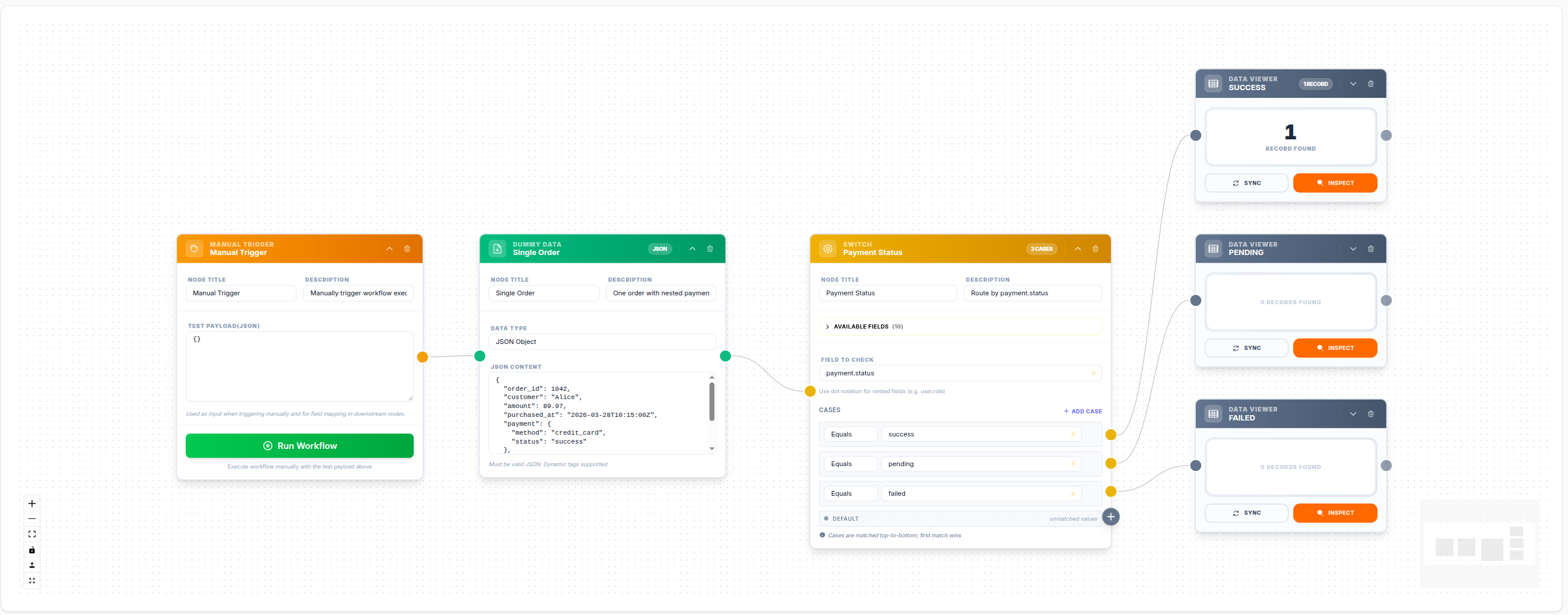
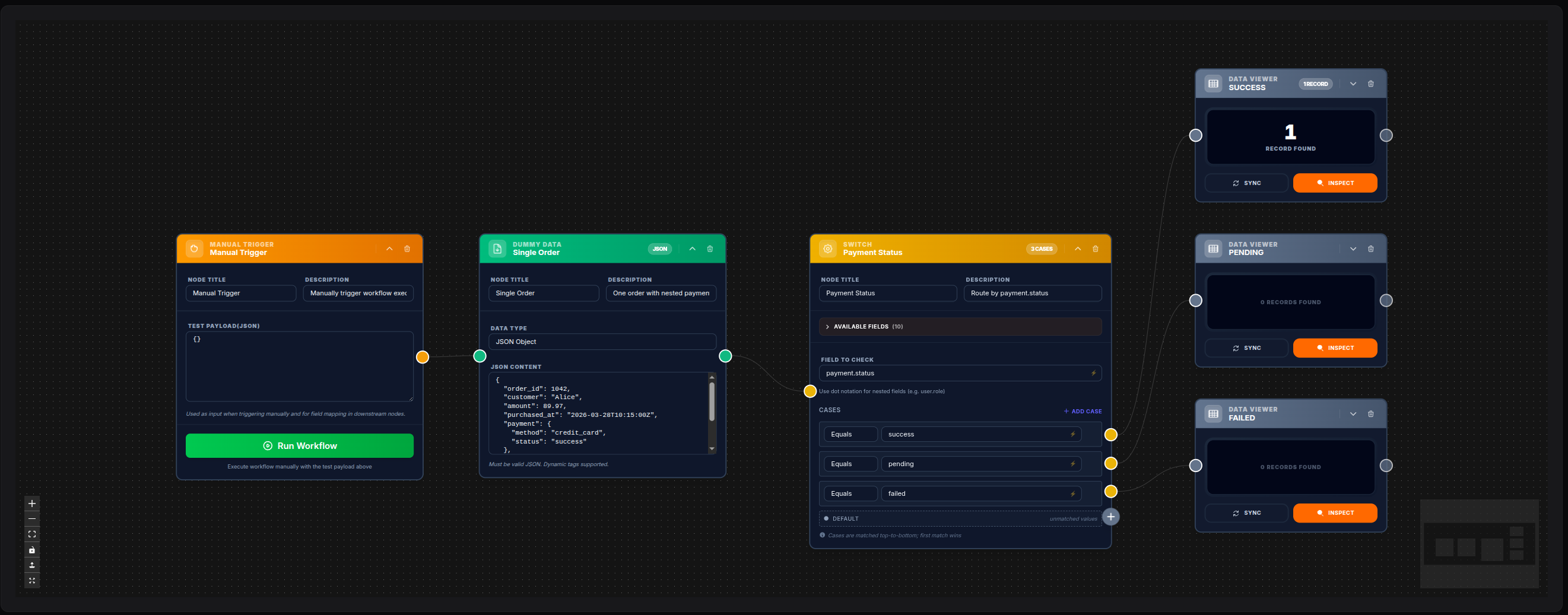
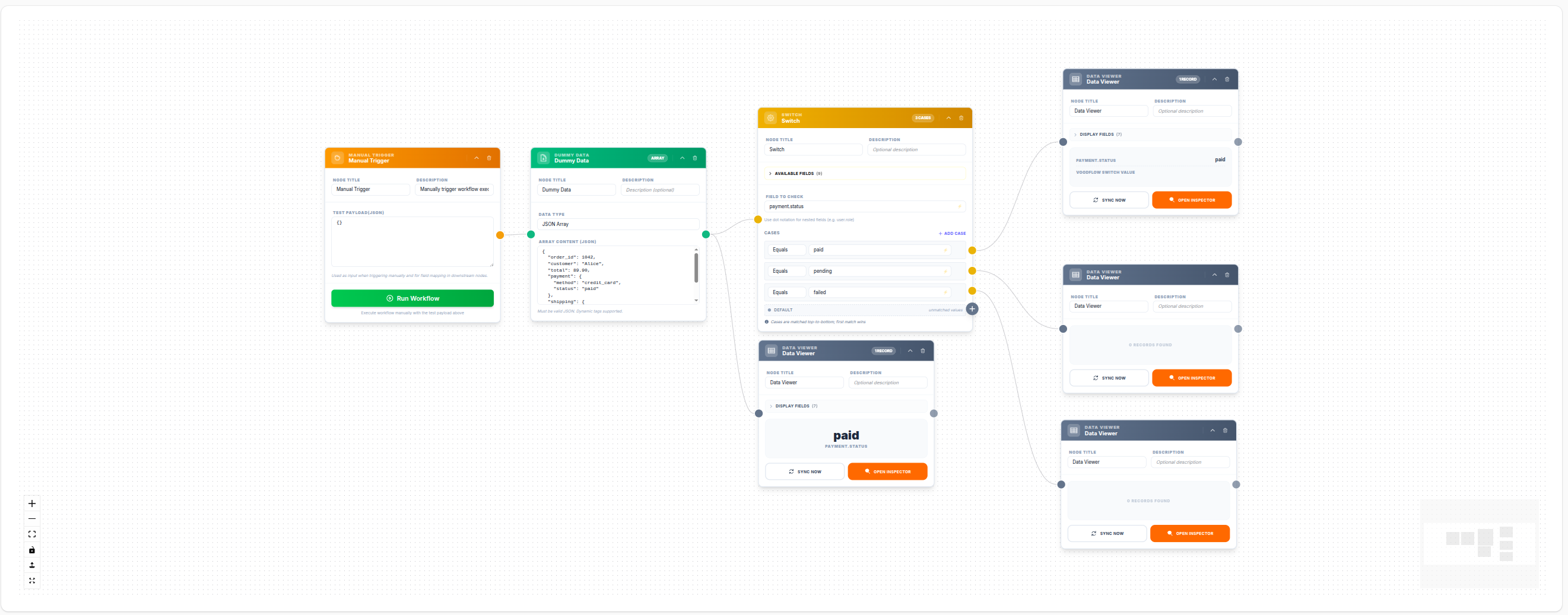
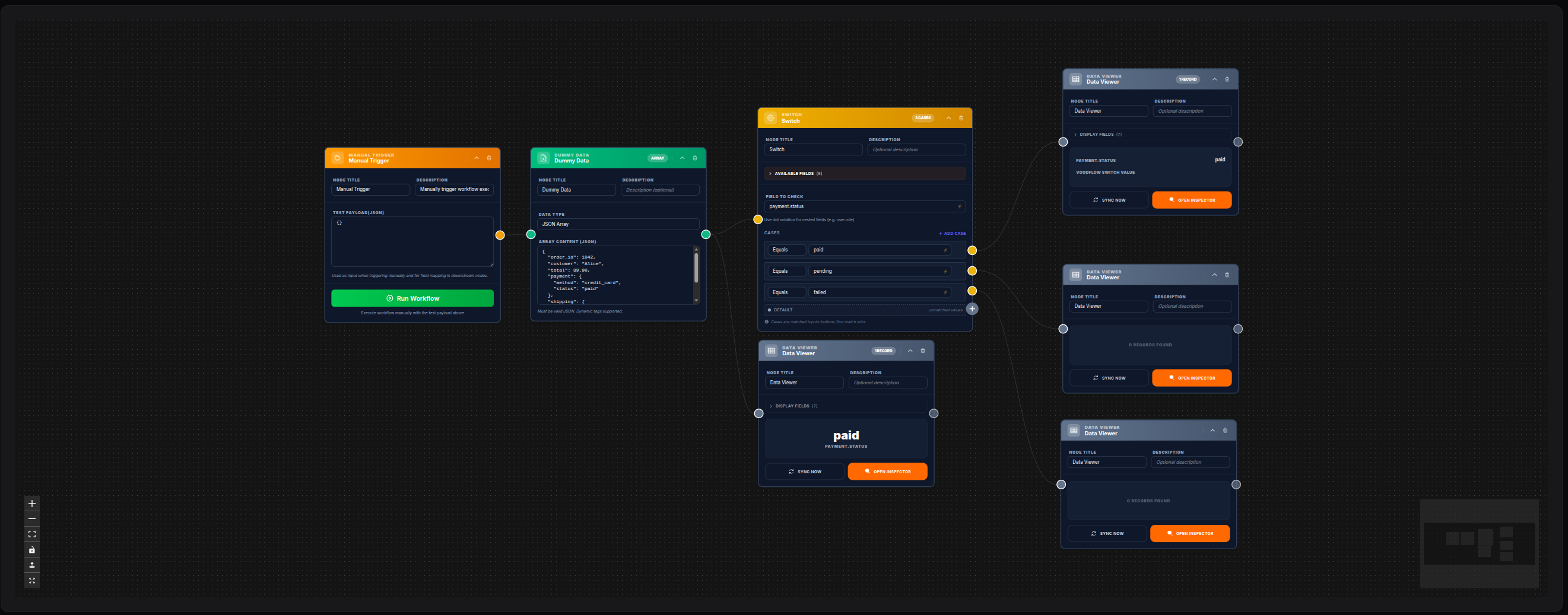
A Dummy Data node emits a single order with a nested payment object. The Switch checks payment.status and routes to the correct branch — only the matching Data Viewer receives the order data.
{
  "order_id": 1042,
  "customer": "Alice",
  "amount": 89.97,
  "payment": { "method": "credit_card", "status": "success" },
  "shipping": { "carrier": "DHL", "tracking": "DHL-98765" }
}
Click Sync on any Data Viewer to preview the routed data. Because the order has payment.status = "success", all fields are visible in the SUCCESS viewer.
💾 Try this example
Download the workflow JSON — open an empty workflow and import the file.
Change the status to test routing
Edit the status field inside Dummy Data to "pending" or "failed", save, and click Sync again — the data will route to the corresponding viewer.
Example: Route by Subscription Tier
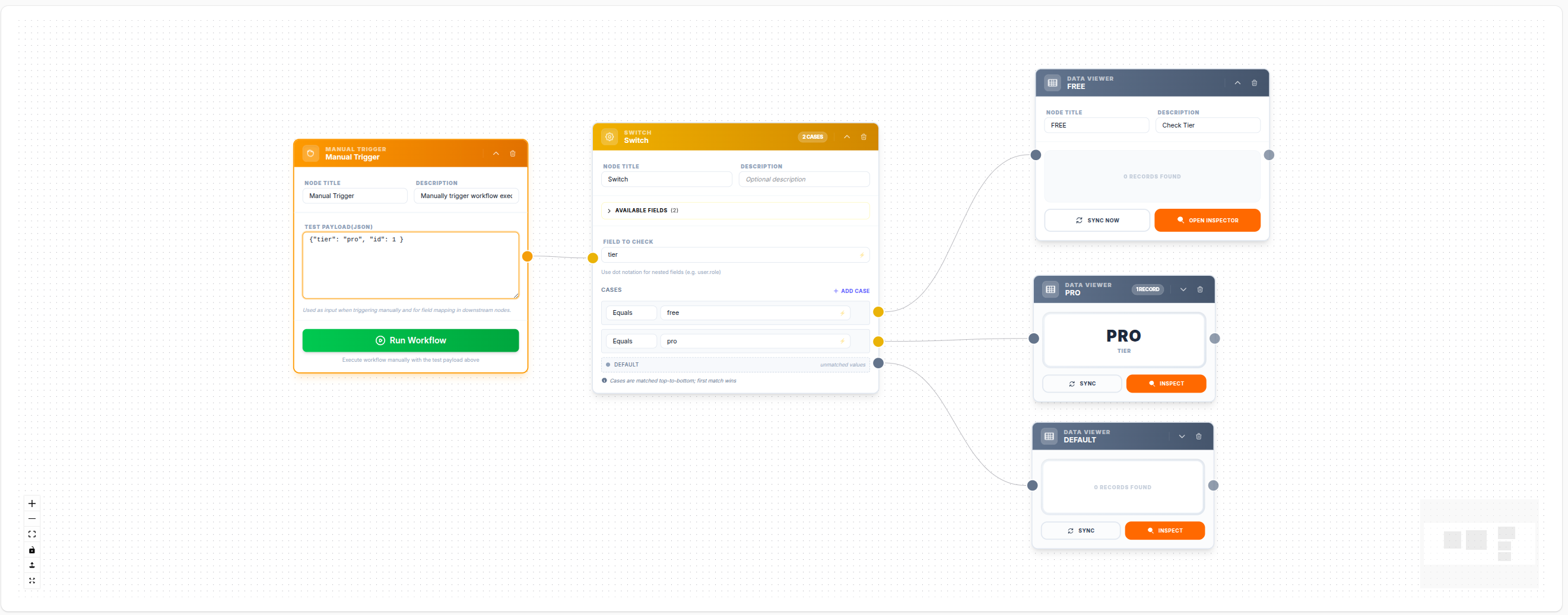
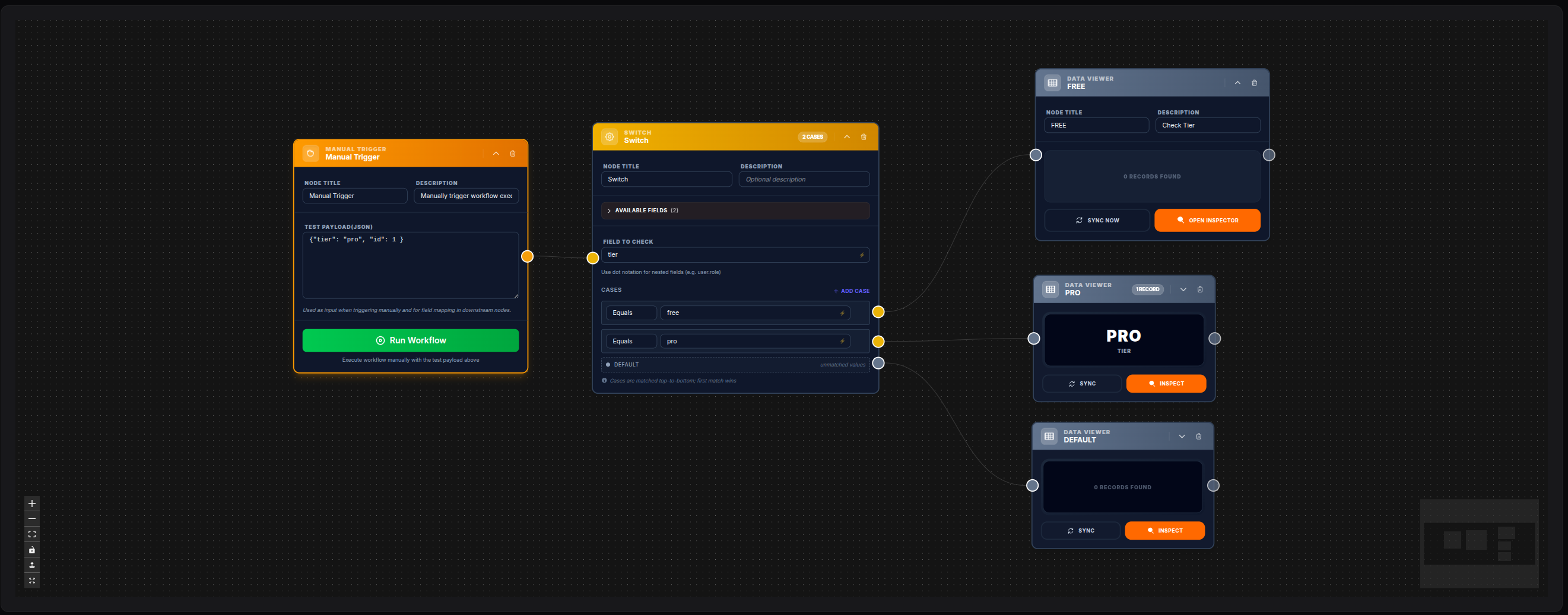
A Manual Trigger sends a JSON payload containing a tier field. The Switch inspects tier and routes to the correct branch: FREE TIER, PRO TIER, or Default.
💾 Try this example
Download the workflow JSON — open an empty workflow and import the file.
Example: Route Users by Name
A Data Model node queries all users. Since the result is a collection ({data: [...], count: N}), a For Each node is placed before the Switch to iterate over each record. The Switch then inspects the name field and routes to the matching branch.
Why For Each before Switch?
The Data Model returns an array wrapped in data: [...]. Fields like name live inside each record. Without For Each, data_get($input, 'name') returns null and the Switch always falls through to default.
💾 Try this example
Download the workflow JSON — open an empty workflow and import the file.
Simulation Behavior
When you click Sync on a Data Viewer connected to a Switch output:
- The simulation runs the upstream chain and evaluates the Switch with the current data
- Only the matching branch Data Viewer shows the data; non-matching branches show 0 records
- Internal routing metadata is automatically stripped from the preview — the viewer shows only the real payload fields
- For workflows with For Each before Switch, the simulation uses the first array element as a sample; run the workflow for full iteration results
Change the data to test different branches
Edit the field value in the upstream Dummy Data node and click Sync again — the data will route to the corresponding viewer.
Use Cases
| Scenario | Field | Cases |
|---|---|---|
| HTTP status routing | status_code | 200, 400, 401, 403, 404, 500 |
| User type routing | user.role | admin, editor, viewer |
| Priority routing | ticket.priority | high, medium, low |
| Category routing | product.category | electronics, clothing, food |
| Region routing | customer.country | IT, DE, FR, US |
UI Behavior
- Each case row shows an operator dropdown and a value input (with ⚡ toggle for dynamic values)
- Operators are filtered by the inferred type of the selected field
- Unary operators (
is_null,is_empty,is_true, etc.) hide the value input automatically - When an output is not connected, a + button is shown; clicking it opens the node library for auto-connect
- A new Switch node starts with one pre-configured case so it is immediately usable
Backward Compatibility
Workflows saved before operators were added (cases with only value and label) are fully supported. Missing operator defaults to equals, preserving existing behavior.
Notes
- The Switch node routes to exactly one output (or
default) — other branches do not execute - Values are compared with loose equality —
200and"200"will match - Booleans are coerced:
true→"1",false→"0",null→"" - Cases are evaluated in definition order; the first match wins
- For complex multi-condition routing, use the If node